
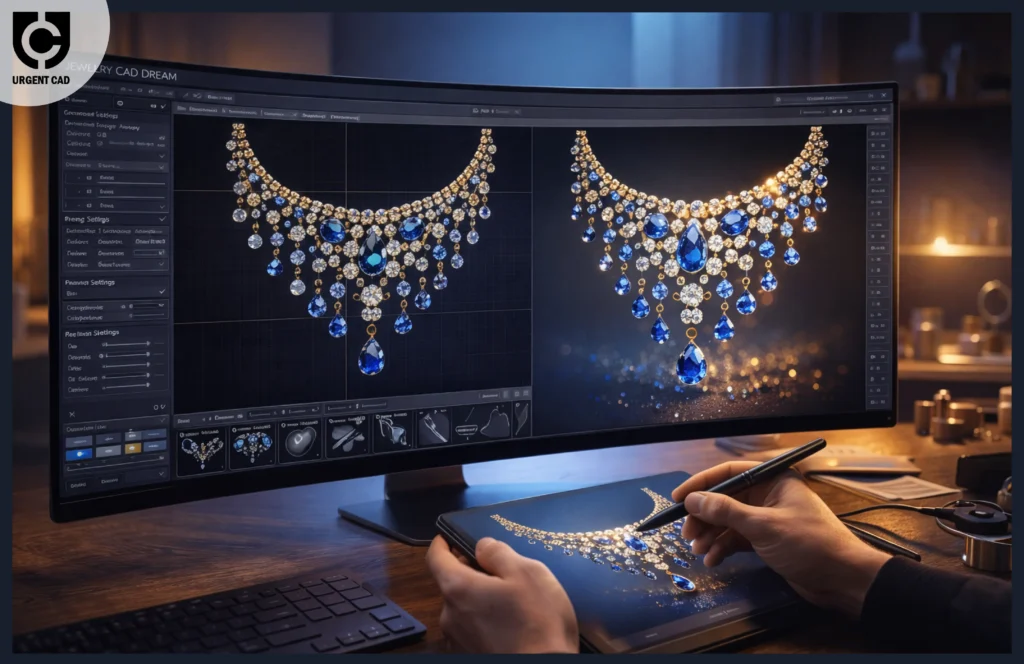
Preface to Jewelry CAD Dream
Jewelry design has always been a mix of art, patience, and imagination. But let’s be honest traditional methods can feel slow, messy, and sometimes frustrating. That’s where Jewelry CAD Dream enters the scene. Imagine sketching a ring and instantly seeing it come alive in 3D. Sounds magical, right? Well, that’s exactly what this powerful design tool delivers.
For aspiring designers trying to find their voice, digital tools are no longer optional they’re essential. Jewelry CAD Dream offers a fresh approach, turning creative ideas into tangible designs faster than ever. Whether you’re dreaming of designing elegant engagement rings or bold statement chokers, this platform makes the process smoother and far more exciting.
Why CAD Matters in Modern Jewelry Design
From Hand Sketches to Digital Precision
There was a time when jewelry designers relied entirely on pencil sketches and wax models. While those methods still hold charm, digital design brings unmatched precision. With CAD tools, measurements are exact, symmetry is perfect, and variations are just a click away.
Think of CAD like a digital sculptor that never gets tired. Instead of sculpting wax for hours, you can experiment with shapes instantly. The freedom it offers is a game-changer, especially for beginners eager to learn quickly.
How Technology Shapes Creativity
Some people worry that technology limits creativity. In reality, it expands it. Jewelry CAD Dream allows you to test bold ideas without worrying about wasted materials. Want to experiment with complex patterns or intricate gemstone settings? Go for it. The software encourages risk-taking, which often leads to innovation.
What Is Jewelry CAD Dream?
Core Concept Explained
Jewelry CAD Dream is a digital design platform tailored specifically for jewelry creators. Unlike general CAD software, it focuses on features designers actually need stone placement tools, metal thickness analysis, and realistic rendering options.
It’s like having a virtual workshop where every tool is built for jewelry creation. You’re not adapting general software to your craft; instead, the software adapts to you.
Who Should Use It?
- Beginners learning jewelry design
- Students studying fashion or product design
- Independent crafters launching small brands
- Professional jewelers wanting faster workflows
- Hobbyists who want to remove guesswork from design
Key Features That Make It Powerful
3D Modeling Capabilities
One of the biggest highlights is its intuitive 3D modeling environment. You can create rings, pendants, earrings, and bracelets from scratch or modify existing templates. The interface feels approachable, even if you’re new to digital design.
Custom Design Libraries
Pre-built libraries save tons of time. Need a classic prong setting or a unique stone shape? Instead of starting from zero, you simply drag and drop elements into your design. It’s like having a treasure chest of design assets at your fingertips.
Real-Time Rendering
Seeing your design in real-time is incredibly motivating. You don’t have to wait hours to visualize how light reflects off polished metal or how gemstones sparkle.
Visualization Advantages
- Accurate color trials
- Realistic reflections
- Instant design modifications
These features help you present your work professionally to clients or instructors.
Benefits for Aspiring Designers
Faster Learning Curve
New designers often feel overwhelmed by complex software. Jewelry CAD Dream keeps things simple. Tutorials and guided tools help you understand concepts quickly. Within days, you’ll be creating designs that once seemed impossible.
Portfolio Development
A strong portfolio is essential. High-quality renderings from CAD software give your projects a professional edge. Instead of showing rough sketches, you can present polished 3D models that look ready for production.
Cost Effectiveness
Traditional prototyping can be expensive. With digital design, you test ideas virtually before committing to materials. This reduces waste and saves money perfect for designers just starting out.
Step-by-Step Guide to Getting Started
Installing and Setup
Getting started is surprisingly easy. Download the software, install it, and explore the beginner tutorials. Most users find the interface intuitive within the first hour.
First Project Walkthrough
Start with a simple ring design. Choose a base model, adjust dimensions, add stones, and apply textures. Watch your concept evolve step by step. It feels like assembling a puzzle except you’re creating something beautiful.
Design Workflow Using Jewelry CAD Dream
Concept to Prototype
Every design begins with an idea. Sketch it digitally, refine shapes, test proportions, and visualize the final piece. Once satisfied, export the file for 3D printing or casting.
Exporting for Production
Production-ready files ensure accurate manufacturing. The software allows you to export models compatible with industry-standard machines. This seamless transition from design to production saves valuable time.
Tips to Master the Software Quickly
- Practice daily, even if only for 30 minutes
- Explore community tutorials
- Experiment with unusual designs
- Study real jewelry for inspiration
- Don’t fear mistakes they’re part of learning
Consistency turns beginners into confident designers faster than you’d expect.
Common Mistakes Beginners Make
Many new designers overcomplicate their first projects. Start simple. Focus on learning basic shapes before trying intricate details. Another common mistake is ignoring structural integrity. A design might look stunning digitally but fail during production if thickness and support aren’t considered.
Real-World Applications in the Jewelry Industry
Professional workshops rely on CAD for custom orders, prototyping, and client presentations. Retail brands use digital models to test collections before manufacturing. Even independent designers selling online benefit from realistic product visuals that attract buyers.
Comparing Jewelry CAD Dream With Other CAD Tools
General CAD platforms offer powerful features but often feel overwhelming. Jewelry CAD Dream focuses specifically on jewelry design, making it more accessible. Instead of navigating complex engineering tools, you work within an environment designed for creativity.
It’s like comparing a Swiss Army knife to a specialized sculpting tool. Both work, but one feels tailor-made for your craft.
The Role of UrgentCAD in Modern Design Trends
The growing demand for quick turnarounds has pushed designers toward advanced digital solutions like urgentCAD workflows. Speed matters in today’s competitive market. Clients expect rapid revisions and accurate previews. Jewelry CAD Dream integrates perfectly into this fast-paced environment, allowing designers to create, modify, and finalize designs without delays.
UrgentCAD-style workflows emphasize efficiency without sacrificing artistry. Designers can experiment quickly while maintaining quality, which is essential for modern jewelry businesses.
Future of Jewelry Design With CAD Technology
Digital design is evolving rapidly. Artificial intelligence, augmented reality previews, and automated stone placement are becoming common. Tools like Jewelry CAD Dream are paving the way for a future where designers collaborate globally and create pieces that were once impossible to craft by hand.
The boundary between imagination and production continues to shrink. Designers who embrace CAD today position themselves at the forefront of tomorrow’s industry.
Monetizing Your Skills as a CAD Designer
- Freelance design services
- Custom engagement ring creation
- Collaboration with jewelry brands
- Selling digital models online
- Teaching workshops or courses
With a strong portfolio and consistent practice, you can transform your passion into a profitable career.
Conclusion
Jewelry CAD Dream isn’t just another piece of software it’s a gateway into the future of jewelry design. For aspiring creators, it offers a perfect mix of creativity and precision. You can experiment boldly, build professional portfolios, and bring complex ideas to life without expensive materials or endless revisions.
Whether you’re just starting or looking to modernize your workflow, embracing digital design tools can redefine how you approach creativity. Jewelry CAD Dream makes the journey smoother, faster, and infinitely more exciting. With dedication and curiosity, you can transform your artistic vision into stunning, production-ready masterpieces.
FAQs
1. Is Jewelry CAD Dream suitable for complete beginners?
Yes. The interface is beginner-friendly, and tutorials guide you through every step of the design process.
2. Can I use Jewelry CAD Dream for professional jewelry production?
Absolutely. The software produces high-quality files compatible with industry manufacturing methods like 3D printing and casting.
3. How long does it take to learn the basics?
Most users become comfortable with beginner tools within a few days of consistent practice.
4. Do I need expensive hardware to run the software?
A mid-range computer with a dedicated graphics card usually handles most design tasks smoothly.
5. Can I sell designs created using Jewelry CAD Dream?
Yes. Many designers create commercial collections, custom projects, and freelance work using digital CAD designs.

